
Download 3D Love Clock – Free Romantic Desktop Screensaver
Overview
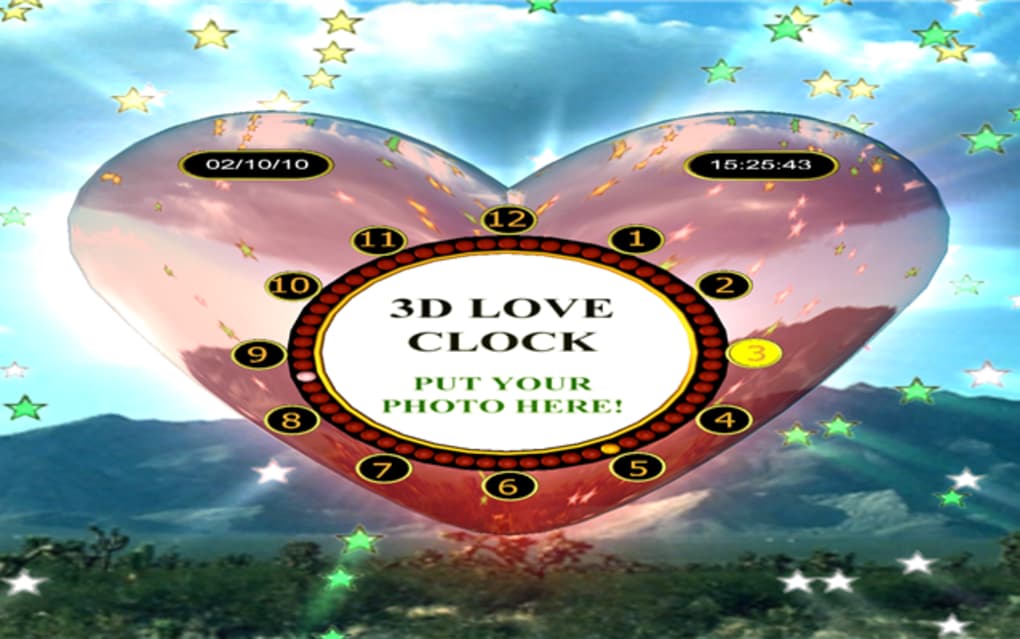
If you’re looking for a way to combine romance, functionality, and a splash of visual flair on your computer, 3D Love Clock delivers exactly that. This animated screensaver doubles as a fully‑featured clock and a personalized photo frame, presenting a large, three‑dimensional heart that ticks away the minutes while showcasing a cherished picture of your loved one. When your PC is idle, the heart floats in the center of the screen, surrounded by whimsical elements such as floating balloons, drifting flower petals, or sparkling confetti—depending on the theme you select. The result is a bold, gaudy display that is hard to ignore, making it perfect for anyone who wants to broadcast their affection to anyone who glances at their monitor. While the visual impact is undeniable, the utility is equally strong: the clock is accurate, the photo frame is fully customizable, and you can even add background music to set the mood. In short, 3D Love Clock is a love‑letter to your desktop that reminds you of the time and the people you care about, all in one animated package.
Key Features and Customization Options
- 3D Heart Clock: A large, rotating heart that shows the current time in a clear, easy‑to‑read digital format.
- Personal Photo Frame: Insert any JPEG or PNG image to appear inside the heart, turning your favorite memory into a live centerpiece.
- Dynamic Backgrounds: Choose from a library of pre‑loaded backgrounds or upload your own, allowing you to match the screensaver to any theme or season.
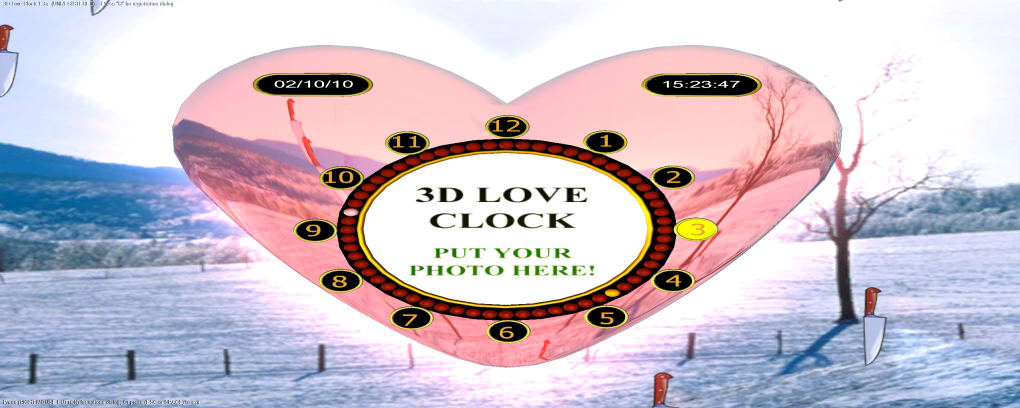
- Animated Falling/Rising Items: Select from balloons, roses, snowflakes, hearts, or custom images that drift around the heart for added ambience.
- Music Integration: Add a short MP3 clip to play while the screensaver runs, turning the visual experience into a mini‑concert.
- Real‑Time Clock Sync: The clock updates automatically with your system time, ensuring accurate time‑keeping without manual adjustments.
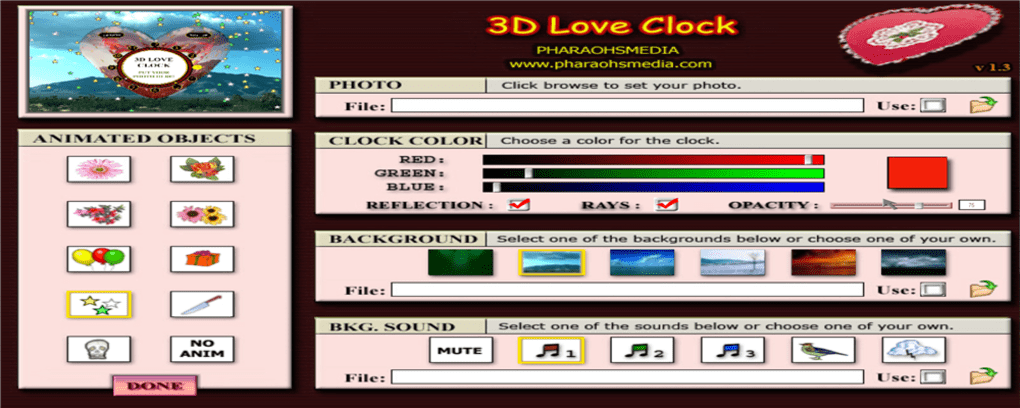
- Control Panel Access: Right‑click the screensaver at any moment to open a settings window where you can swap photos, change backgrounds, or toggle animation speed.
- Multi‑Language Support: Interface available in several languages, making it accessible to a global audience.
All of these features are bundled into a single, lightweight installer that sets up the screensaver in a few clicks. The real strength of 3D Love Clock lies in its personalization: you can craft a unique visual love story that changes every time your PC goes idle. The combination of a functional clock, a personal photo, and ambient animations creates an experience that feels both practical and emotionally resonant.
Installation, Usage & Compatibility
Step‑by‑Step Installation
Downloading and installing 3D Love Clock is straightforward. Follow these steps:
- Visit the official download page and click the Download Free button.
- Run the
3DLoveClockSetup.exefile. Windows SmartScreen may prompt you to confirm; click Run. - The installer will guide you through the typical “Next, Next, Finish” process. Accept the End‑User License Agreement and choose an installation folder (the default works for most users).
- After installation, the screensaver registers automatically in Windows’ Screen Saver Settings panel.
- Open the Control Panel → Appearance and Personalization → Change screen saver. Select “3D Love Clock” from the dropdown menu and click Settings to customize.
Using the Screensaver
Once activated, the screensaver will appear after the idle time you set in Windows (usually 5‑10 minutes). To pause or exit, simply move the mouse or press any key. Right‑clicking while the screensaver is running opens the configuration window, where you can:
- Swap the central photo by browsing your local folders.
- Choose a new background image or color gradient.
- Select the type of falling items (balloons, roses, hearts, etc.).
- Adjust animation speed and enable/disable music playback.
System Requirements & Operating System Support
3D Love Clock is built for Windows 7, 8, 8.1, and 10 (both 32‑bit and 64‑bit). It requires a DirectX‑compatible graphics card and at least 256 MB of RAM. Because the application relies heavily on real‑time 3D rendering, laptops with integrated graphics may experience slower performance or higher battery consumption. For optimal experience, we recommend using a dedicated GPU and disabling other heavy background processes while the screensaver runs.
While there is currently no native macOS, Android, or iOS version, the Windows executable can be run on Windows‑based tablets and convertibles without issue. Users on other platforms can look for similar romance‑themed screensavers in their respective app stores.
Pros, Cons & Frequently Asked Questions
Pros
- Visually striking 3D heart animation that grabs attention.
- Highly customizable photo frame and background options.
- Integrated music playback for a complete sensory experience.
- Accurate real‑time clock synchronized with the system.
- Free to download with no hidden fees.
Cons
- The settings interface is functional but dated and can feel clunky.
- File browser for selecting photos is not as smooth as modern Windows dialogs.
- Heavy on GPU resources; may reduce battery life on laptops.
- No native support for macOS, Android, or iOS.
- Bold colors may not suit all professional environments.
FAQ
Can I use multiple photos in the heart frame?
The free version allows only a single static image at a time. However, you can manually swap photos by opening the settings window while the screensaver is running.
Is the music feature limited to MP3 files?
Yes, 3D Love Clock currently supports MP3 and WAV formats. Other audio types will need to be converted before use.
Will the screensaver affect my computer’s performance?
Because the animation relies on real‑time 3D rendering, it can consume a noticeable amount of GPU power. On high‑end desktops the impact is minimal, but on older laptops you may see slower frame rates or higher power consumption.
Can I schedule the screensaver to run only at certain times?
3D Love Clock uses Windows’ native screensaver scheduler, so you can control activation times via the Power Options or third‑party scheduling tools, but the app itself does not include a built‑in schedule feature.
Is there a way to remove the heart animation and keep only the clock?
No, the heart is an integral part of the visual design. If you need a minimalist clock-only screensaver, consider alternatives such as Fliqlo or other minimalist clock apps.
Review Summary: 3D Love Clock offers an eye‑catching blend of romance and practicality, perfect for users who want a personalized touch on their desktop. While the UI could be refined, the visual impact and customization depth outweigh the minor drawbacks.
Conclusion & Call to Action
In a sea of generic clock screensavers, 3D Love Clock stands out by turning your desktop into a miniature love shrine. Its animated 3D heart, integrated clock, and photo frame create a memorable experience that is both functional and emotionally engaging. Though the settings interface feels a bit dated and the application leans on system resources, the overall value—especially for a free tool—makes it a worthwhile addition for anyone who wants to showcase affection while keeping track of time.
If you’re ready to add a splash of romance to your PC and enjoy a constantly updated clock, click the download button below. Installation is quick, customization is simple, and the result is a screensaver that will make every onlooker smile.







